ShardeumShardeum Logo
Connect to ShardeumDelegate NowGithubPartnership EnquiriesTestnet Quickstart
Shardeum Documentation
What is Shardeum?Network Endpoints & ExplorerEVM Overview
IntroductionInstallingCreate AccountAdding Shardeum Network to MetaMaskSending & Receiving SHM
Supported Wallets
Developers
Testnet Quickstart
Deploy Smart Contracts
Deploy dApps
JSON-RPC GuideNetwork Interfaces
Node TypesRun a Full NodeRun a Validator NodeAdvanced OperationsRun an RPC NodeDelegate SHM
Node Setup OverviewRun an RPC NodeRun a Full NodeRun a Validator Node
Ecosystem
Nordstern.Finance
WalletsMetamask

Adding Shardeum Network to MetaMask

Adding Shardeum Network to MetaMask

1, Open MetaMask and click the list of networks at the top, then select "Add Network".
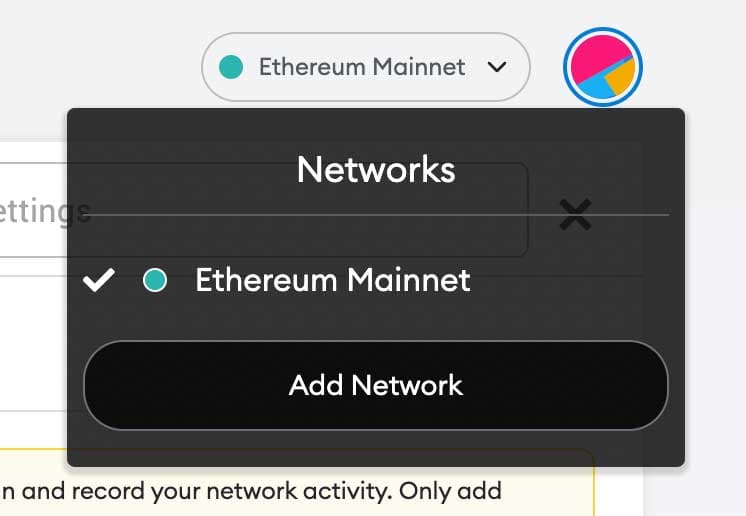
adding_shardeum_1

Fill the Endpoint Information

2, Add Shardeum automatically or manually:

Shardeum Network Details

Previous

Create Account

Next

Sending & Receiving SHM

On this page

Adding Shardeum Network to MetaMaskFill the Endpoint Information

Footer

Company name

EVM L1 for Real-World Asset Tokenization

© 2026 Shardeum, Inc. All rights reserved.

XGitHubYouTube

General

  • Home
  • Ecosystem
  • Testnet Quickstart
  • Blog

Community

  • Telegram
  • Discord
  • Twitter
  • GitHub

Resources

  • Explorer
  • Whitepaper
  • FAQs
  • Brand Assets
  • Public Drive

Contact

  • General Enquiries
  • Partnership Enquiries
  • Report Bugs
  • Report Security Issue